6.1. Import dashboards from Grafana
After upgrading cClear to a new software version, import the dashboard bundle to ensure the dashboards available in Grafana are up to date. Dashboards accessible from the Observability page are part of the cClear software upgrade bundle and are updated automatically during upgrade, so they do not require a separate import.
Importing dashboards requires dashboards > admin permission.
To import dashboards from the cPacket Utility Bundle plugin, including custom dashboards and additional dashboards provided by cPacket, complete the following steps.
Note
If you import a dashboard that already exists in Grafana, the existing version is overwritten. To preserve custom dashboards, clear the checkbox for that dashboard before proceeding.
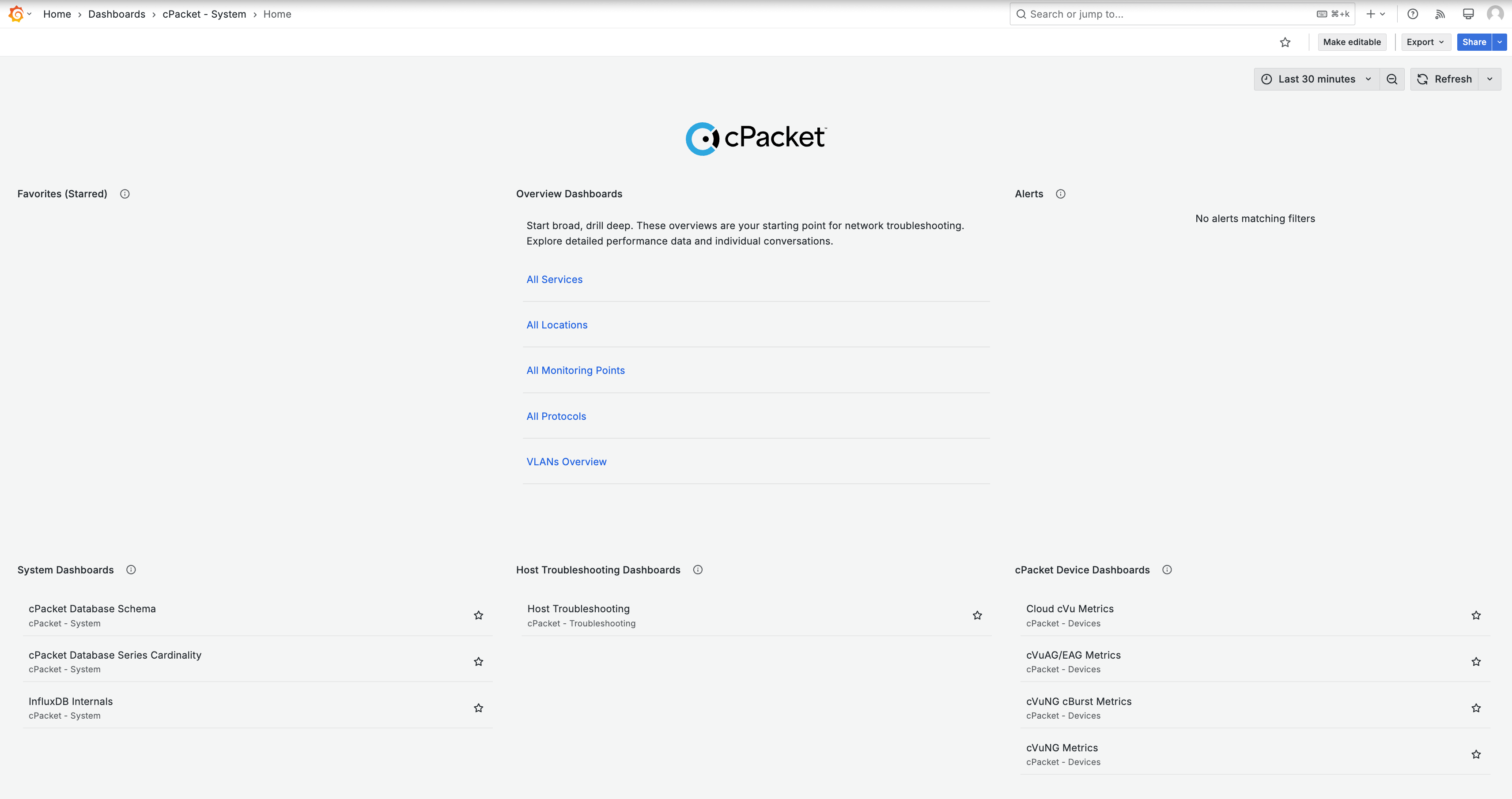
Click Dashboards in the cClear UI. Grafana opens in a new browser tab and displays the dashboard homepage:
Go to Open menu
 > Administration > Plugins and data and search for cPacket:
Click cPacket Utility Bundle to open the plugin.
On the Dashboards tab, click Click here to import the selected dashboards below to import the pre-selected list of dashboards. To choose a different set of dashboards, select the checkbox next to each dashboard or folder before importing.
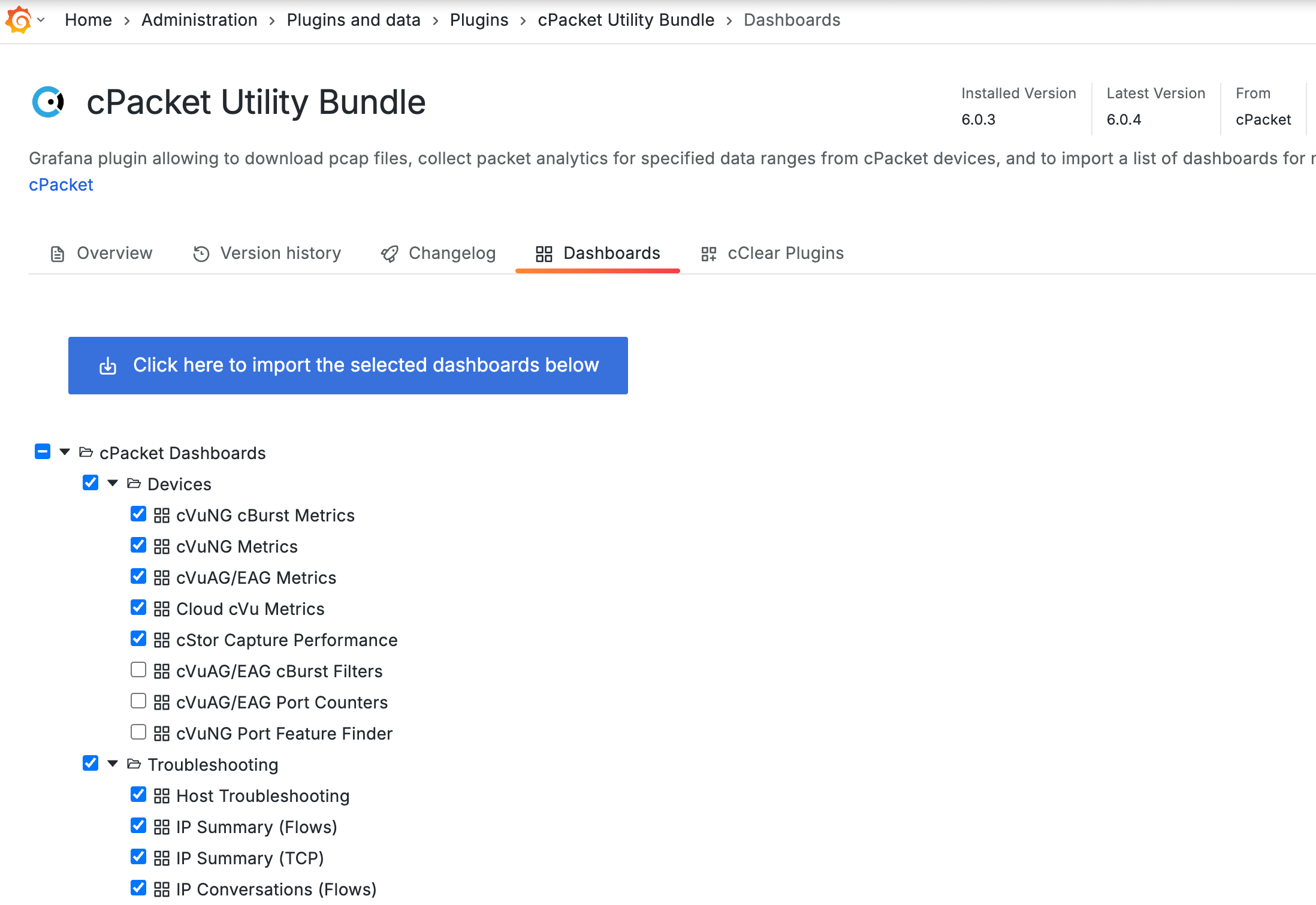
The imported dashboards are now available in Grafana.